Skip to content
TrackQ
Coming soon to the App Store
Menu

The Questrade portfolio app for iPhone and iPad

Your Questrade portfolio, at a glance.

Every account in one place: what it's worth, how it's doing, and the dividends coming in. On your Home Screen too. TrackQ reads your Questrade accounts straight from Questrade and keeps them on your phone. No account to make, no servers in between, no tracking.

Coming soon to the App Store New to Questrade? Get $50 Take the tour

Questions or ideas? Join the TrackQ Discord

  • Read-only
  • No sign-up, no analytics
  • iOS 17 or later

iPhone · iPad · Home Screen · Lock Screen

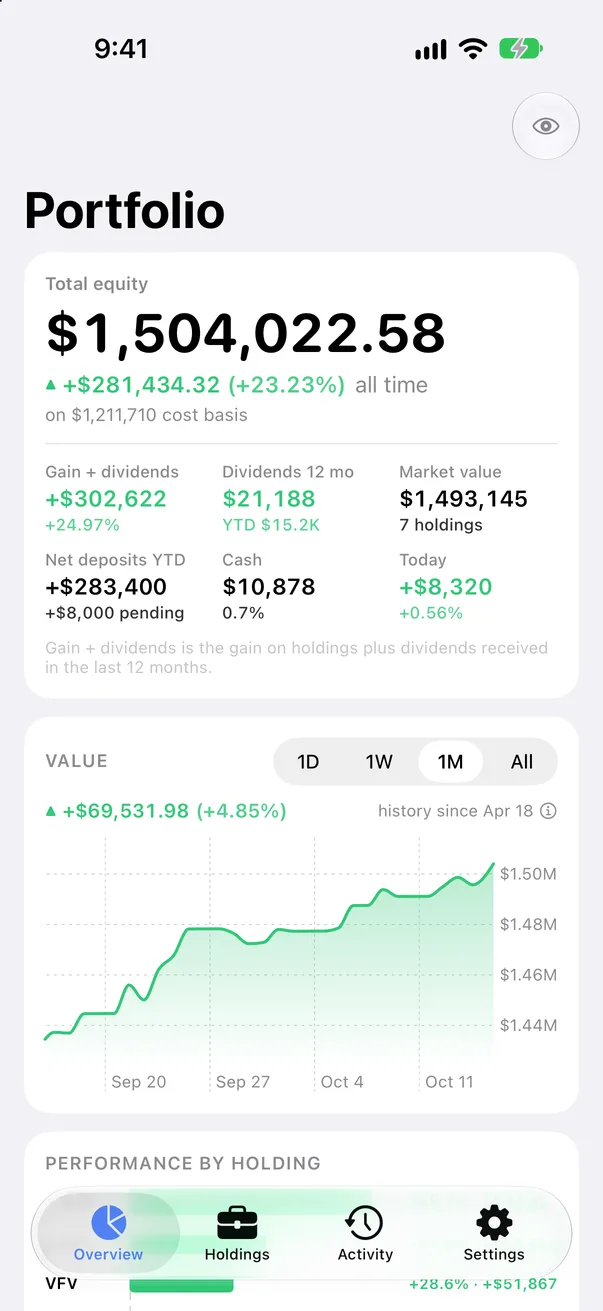
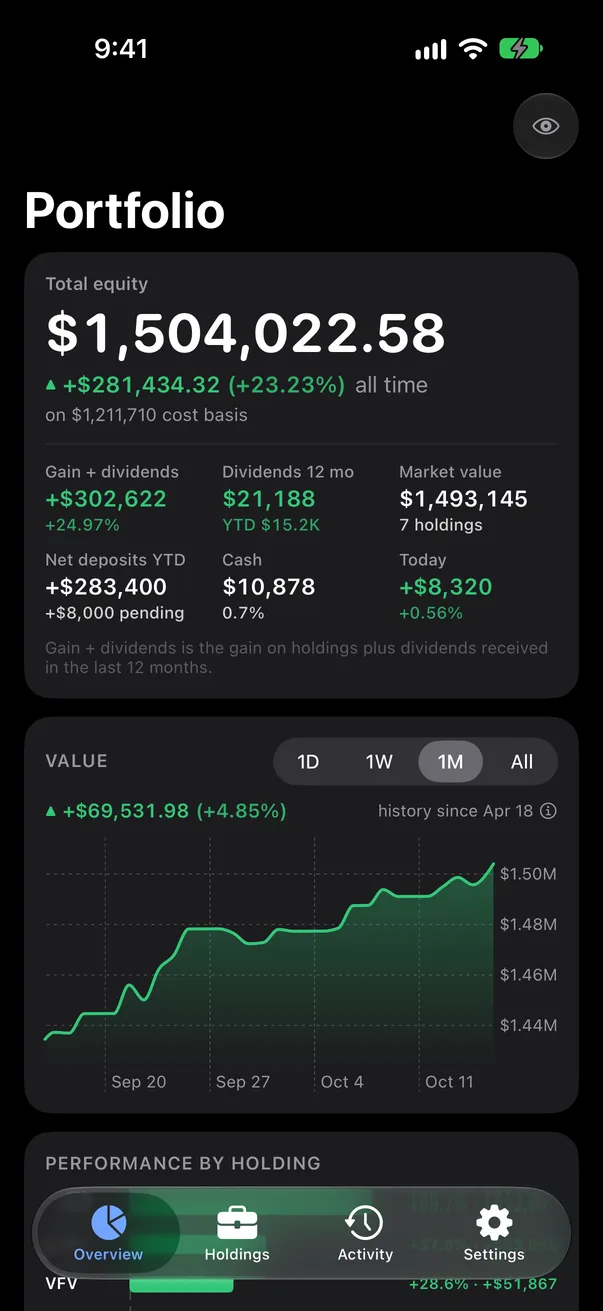
TrackQ Overview: total equity, all-time gain and the stats grid, on the sample portfolio TrackQ Overview: total equity, all-time gain and the stats grid, on the sample portfolio

Your money stays your business.

The second screen of TrackQ, before you connect anything
TrackQSection I · At a glance

At a glance

What it's worth, and what it has earned.

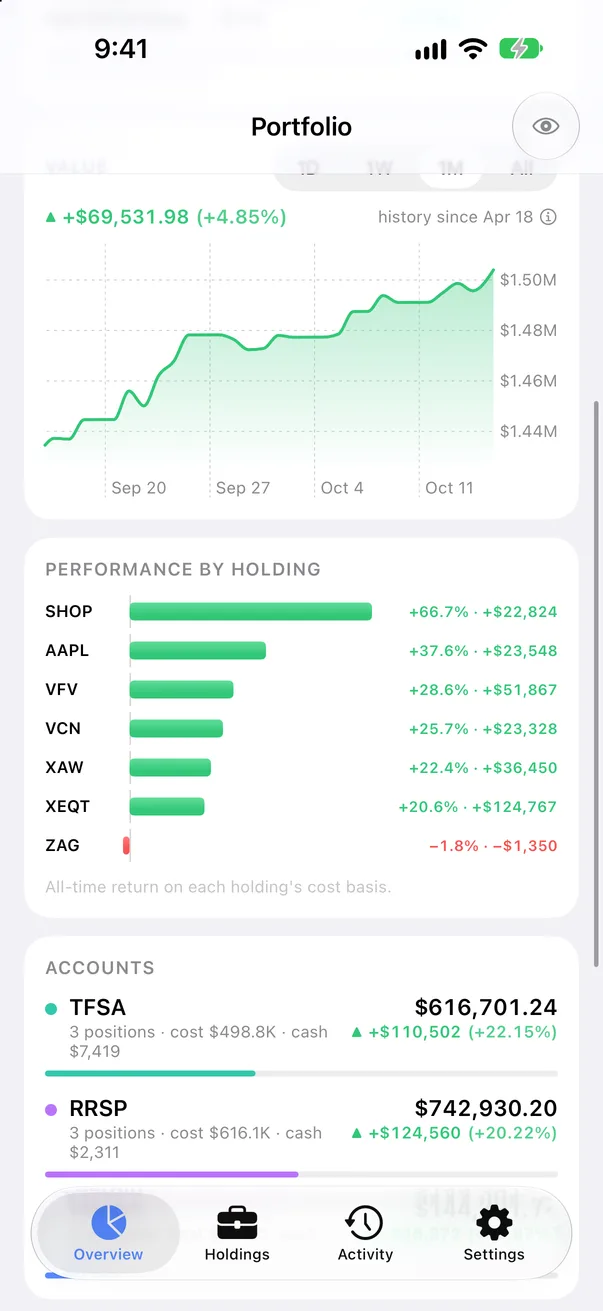
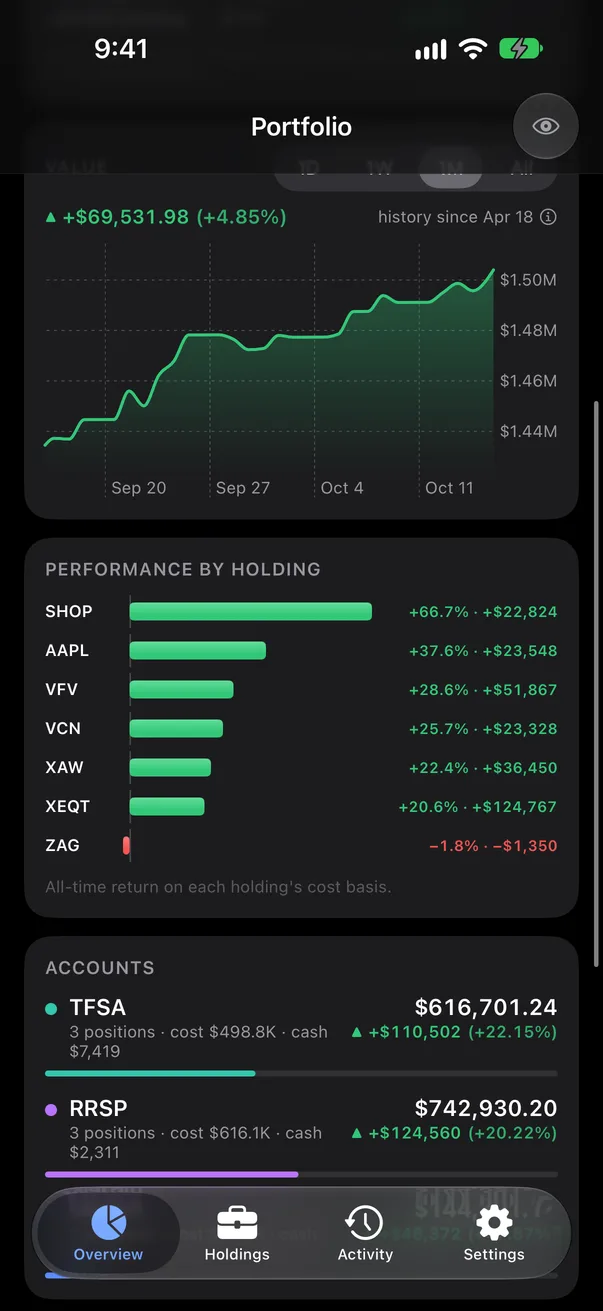
TrackQ opens on your total equity and your all-time gain on what you paid. Under it: gain plus dividends, a year of dividend income, market value, deposits this year, cash and today's move. Then a value chart, every account, your allocation and how each holding has done.

  1. All-time gain first

    Gain on cost basis leads, with dividends counted in. Today is a small stat, not the headline.

  2. Every account together

    TFSA, RRSP, FHSA, margin and cash accounts, with each one's value, gain, positions, cost and share of the whole.

  3. Allocation and performance

    A donut of holdings and cash, and bars for each holding's all-time return on its cost basis.

  4. Hide amounts

    One tap shows $••• instead of money. Percentages stay, so a screenshot is safe to share.

The value chart, performance by holding and the accounts card The value chart, performance by holding and the accounts card
Accounts and performance
Total equity and the stats grid Total equity and the stats grid
All-time gain first
TrackQSection II · Holdings
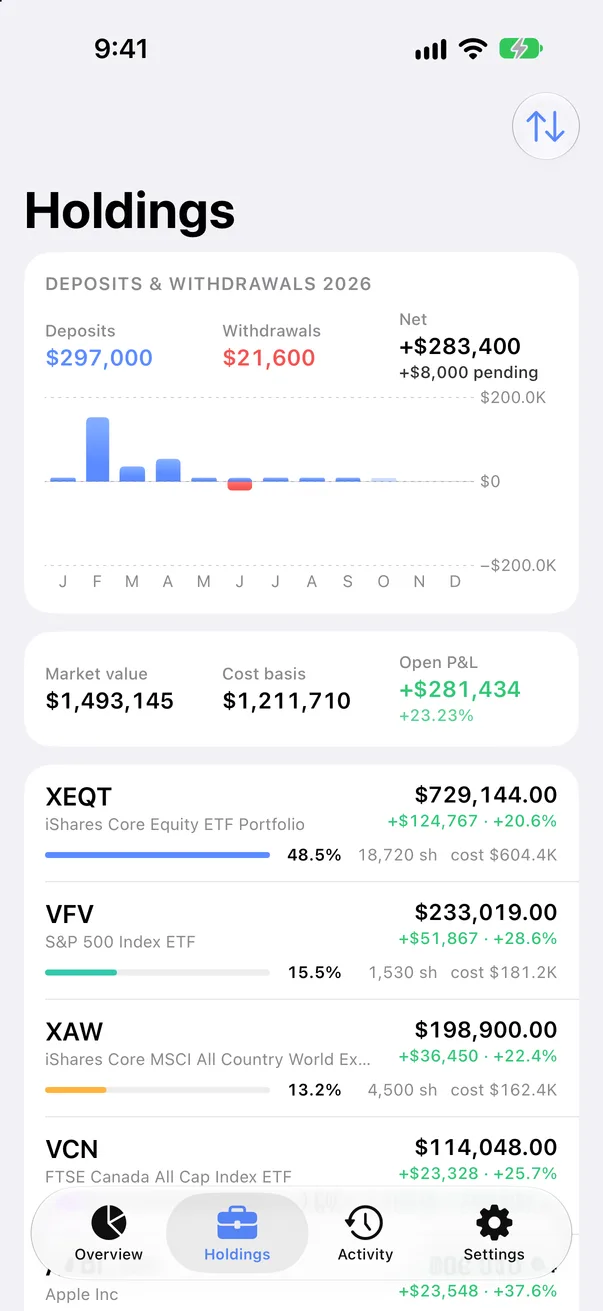
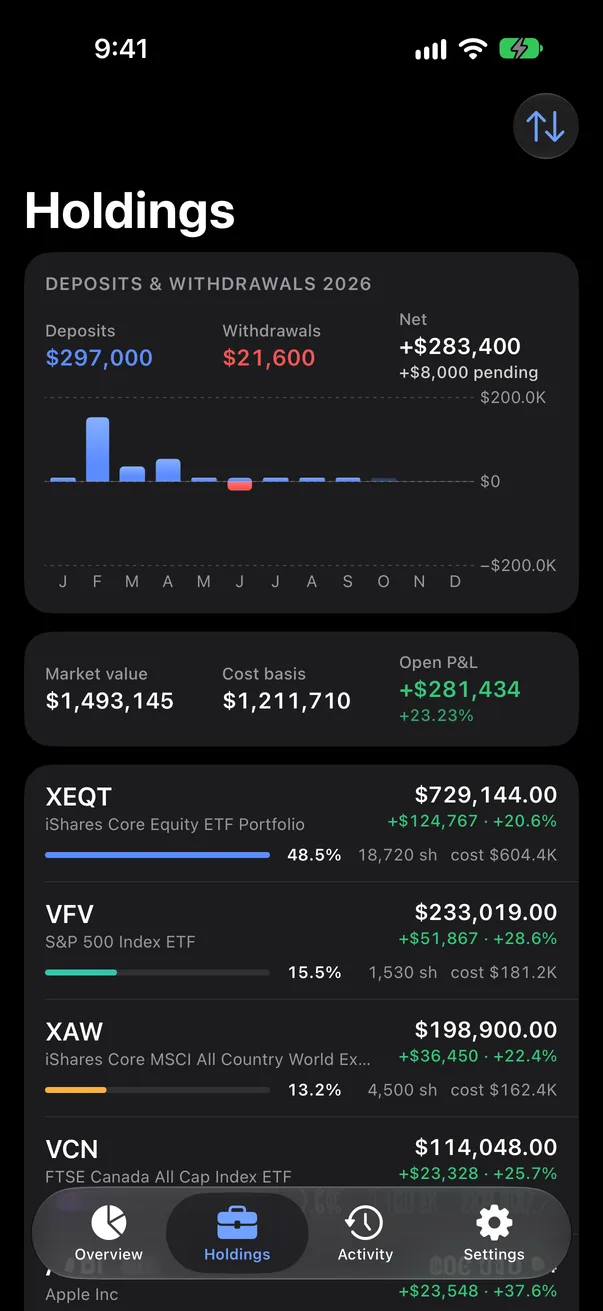
Holdings: deposits and withdrawals this year, then every holding with its weight Holdings: deposits and withdrawals this year, then every holding with its weight
Deposits and withdrawals
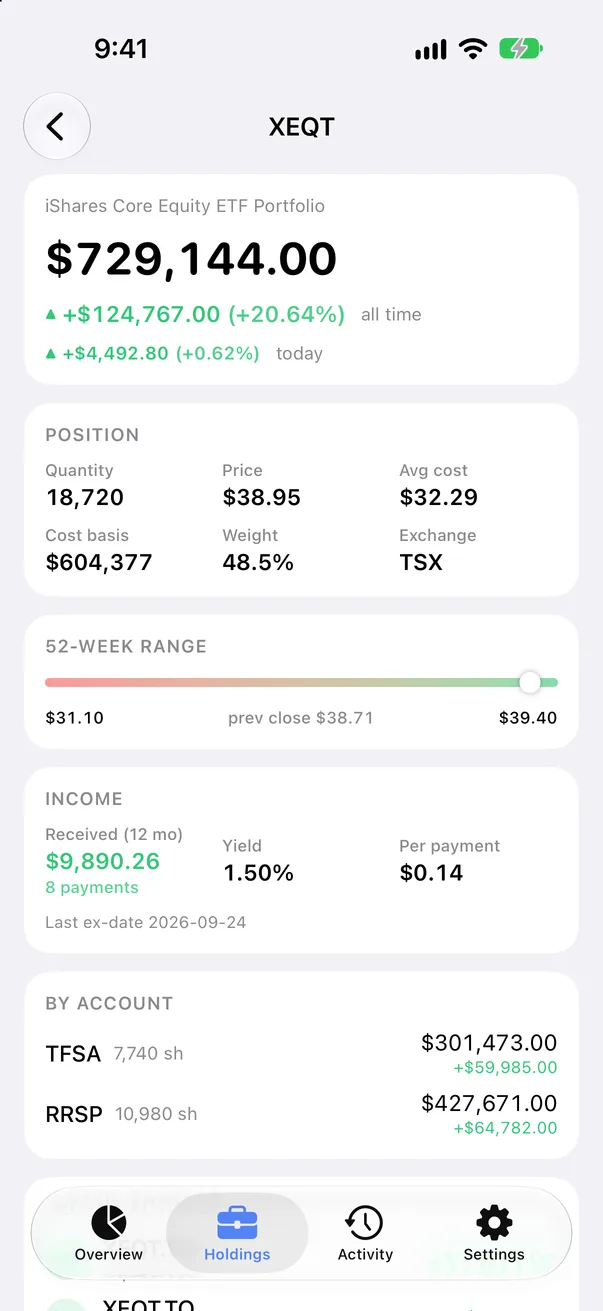
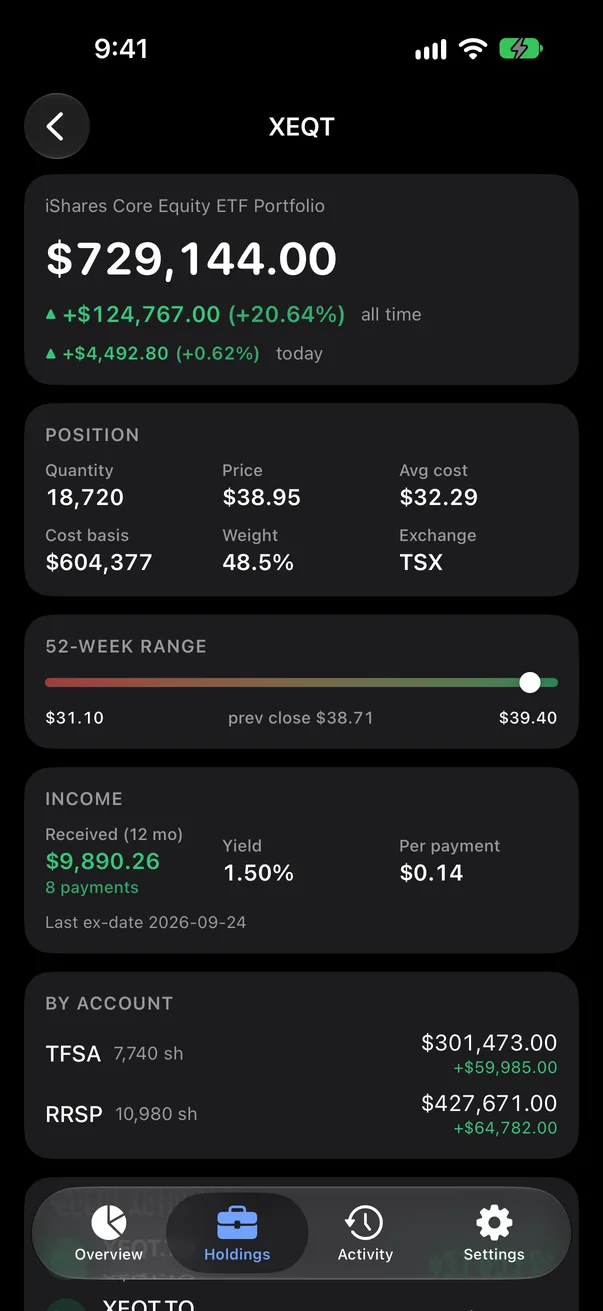
A holding: position, 52-week range, income and the split by account A holding: position, 52-week range, income and the split by account
One holding

Holdings

One list, every account merged.

A position held in two accounts shows once, with its weight in the portfolio. Sort by value, return, gain or symbol. Open a holding for its position, 52-week range, income and the split by account (with TrackQ Pro).

  1. Position

    Quantity, price, average cost, cost basis, weight and exchange.

  2. Income

    Dividends received in the last 12 months, yield, the amount per payment and the last ex-date.

  3. By account

    How many shares sit in each account, and what they are worth there.

  4. Deposits and withdrawals

    A month-by-month chart of money in and out this year, with the net and anything still pending.

TrackQSection III · Dividends and activity

Section III

Dividends and activity

See the money before Questrade posts it.

Questrade's activity lags. A fill from this morning, a deposit already in your cash balance, a dividend that has been announced: TrackQ shows each of them as pending until the posted entry arrives, then it drops out on its own. The Activity tab comes with TrackQ Pro.*

  1. 01

    Pending

    Unposted fills, money seen in your balances, and announced dividends, each marked “not in Questrade activity yet”.

  2. 02

    Dividend income

    This month, year to date, the last 12 months and the monthly average, on a chart by month.

  3. 03

    Every transaction

    Grouped by month, filtered to dividends, trades, deposits or the rest. Reinvested dividends say so.

  4. 04

    A year on first connect

    The first load fetches the last 12 months of activity. Export it any time as a CSV.

* An announced dividend is estimated from the yield and the shares you hold, and is drawn faded on the income chart until it is paid. US dollar amounts show in Canadian dollars, with the US amount alongside.
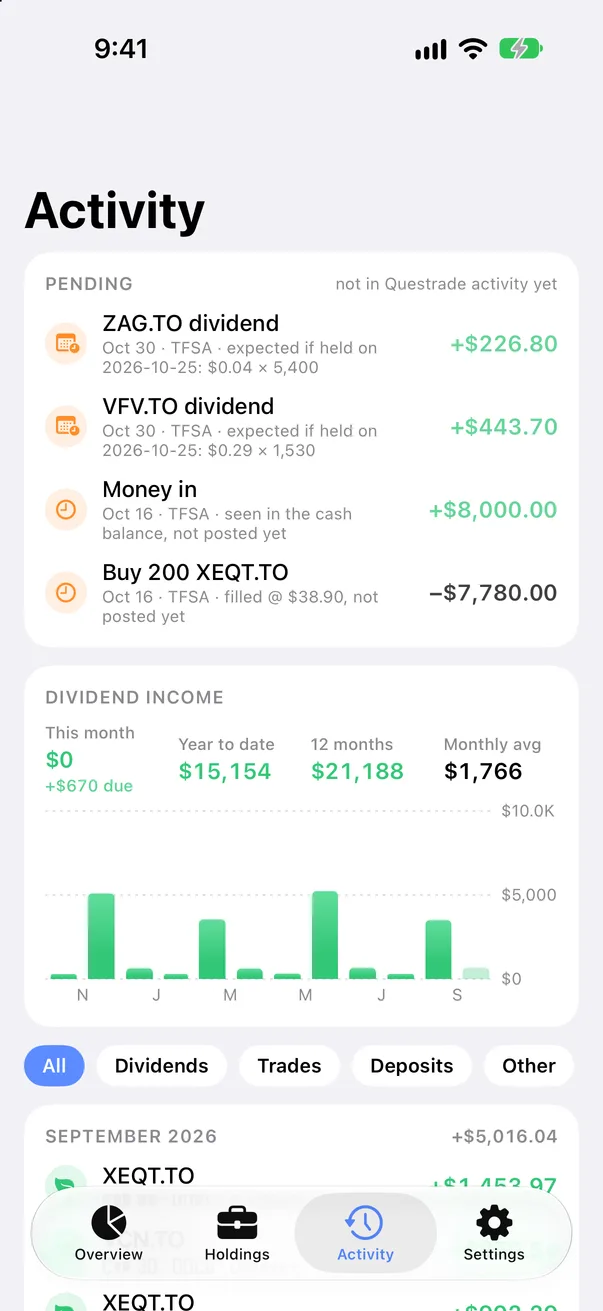
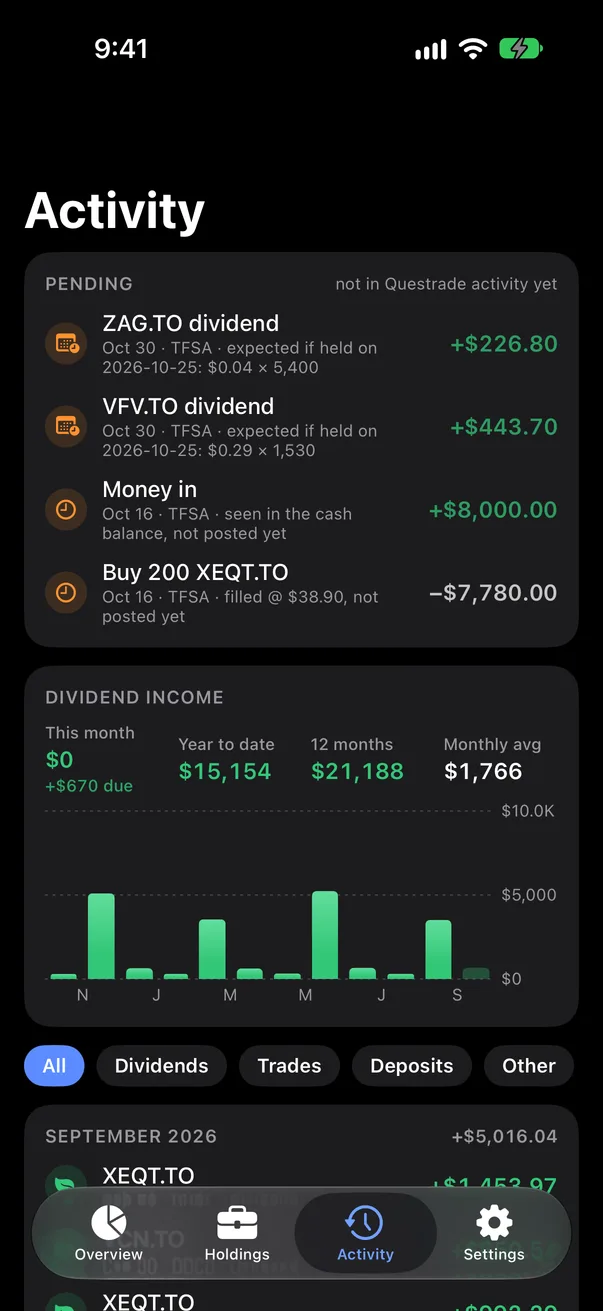
Activity: pending dividends, a deposit and a fill, then dividend income by month Activity: pending dividends, a deposit and a fill, then dividend income by month

Pending · Dividend income

TrackQSection IV · On your Home Screen

On your Home Screen

Your portfolio without opening the app.

  • Total value

    Total equity and all-time gain. Small on the Home Screen, and on the Lock Screen too.

  • Accounts

    Each account's value and gain, with dividends, cost basis, today and your top holdings underneath.

  • Allocation

    Holdings and cash as a share of the portfolio. The large size adds each holding's gain and return.

  • Dividends

    Dividend income by month, and the total so far this year.

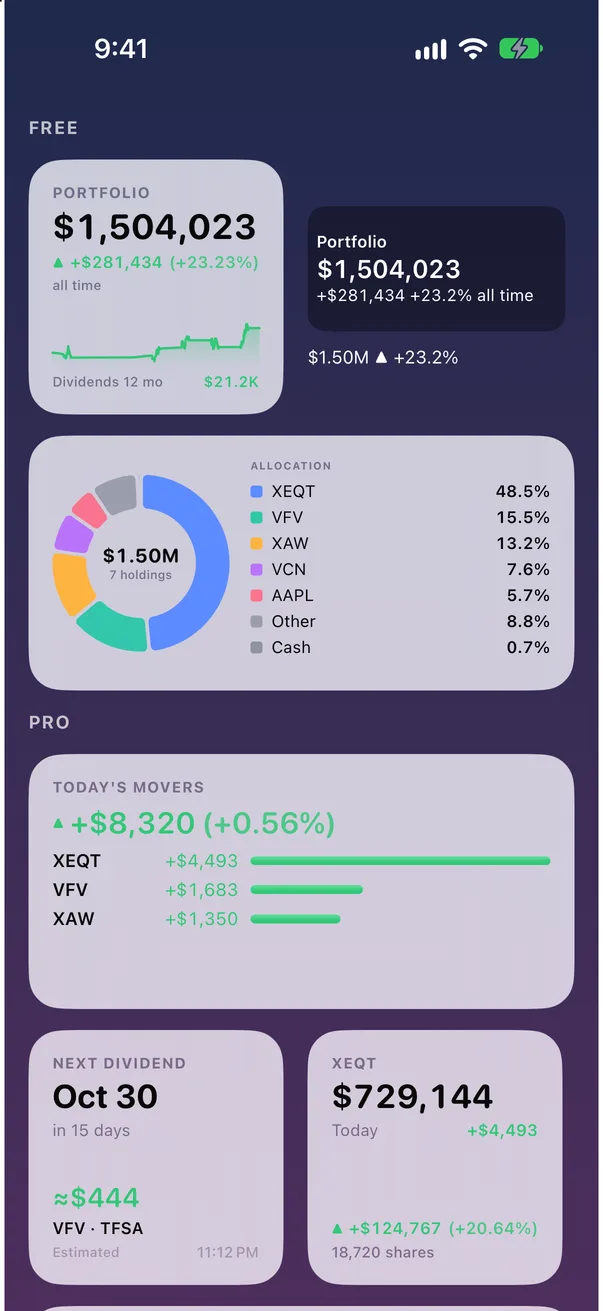
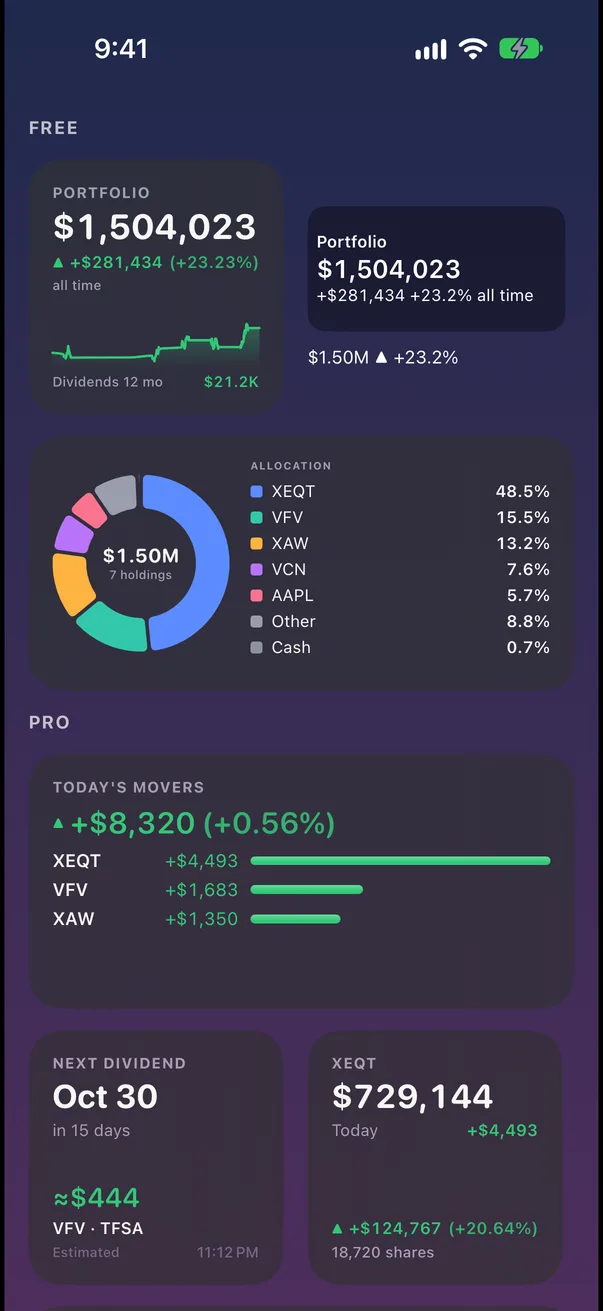
The TrackQ widgets at real size: Total value, Accounts, Allocation and Dividends The TrackQ widgets at real size: Total value, Accounts, Allocation and Dividends
Every widget, at real size

Total value and Allocation are free. Accounts and Dividends, plus Today's movers, Next dividends and One holding, come with TrackQ Pro. Widgets refresh themselves when their numbers are more than 15 minutes old, and you can hide amounts on widgets alone.

TrackQSection V · Private by design

Section V

Nothing passes through us.

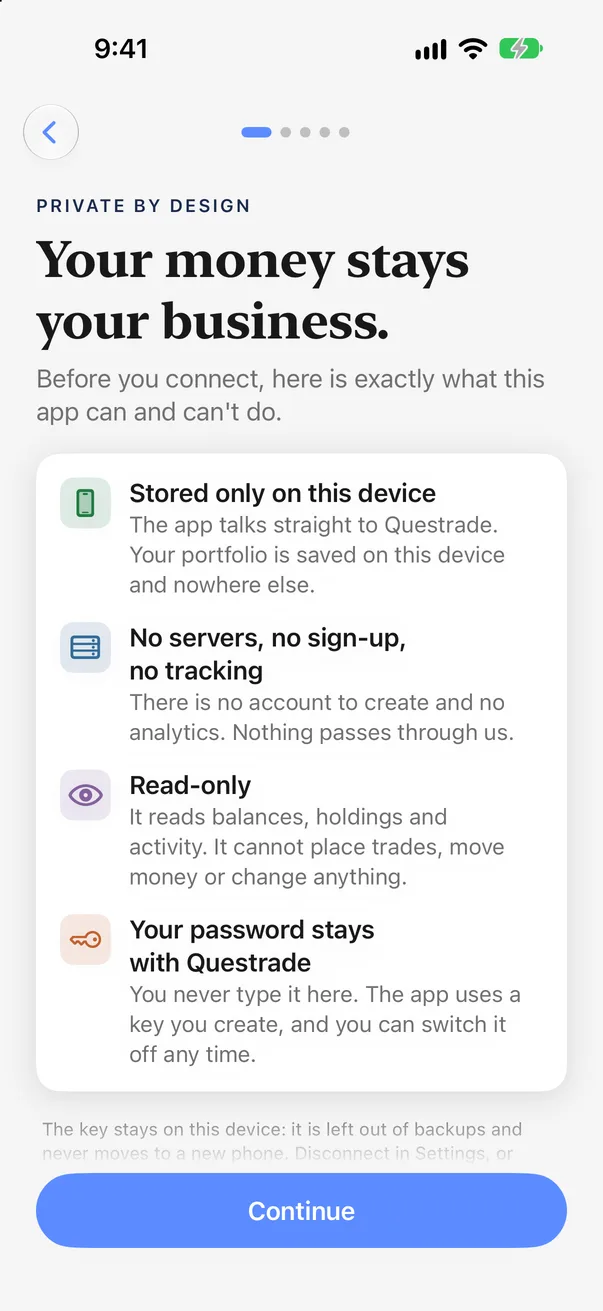
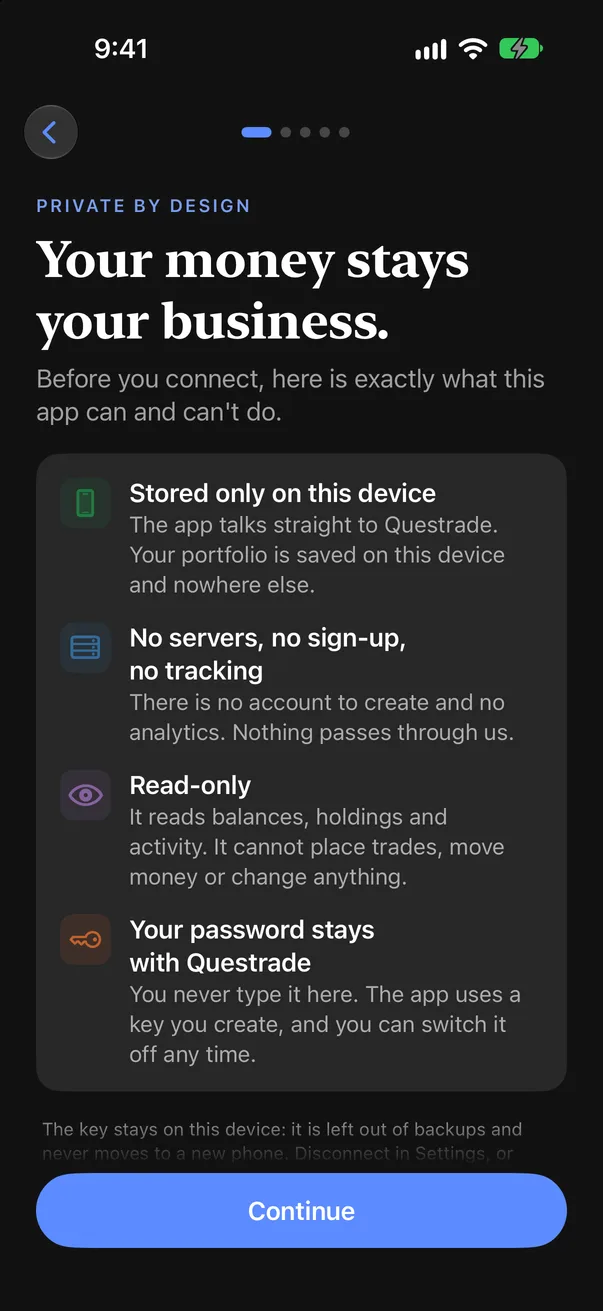
  1. Stored only on this device

    The app talks straight to Questrade. Your portfolio is saved on this device and nowhere else.

  2. No servers, no sign-up, no tracking

    There is no account to create and no analytics. Nothing passes through us.

  3. Read-only

    It reads balances, holdings and activity. It cannot place trades, move money or change anything.

  4. Your password stays with Questrade

    You never type it here. The app uses a key you create, and you can switch it off any time.

The Private by design screen in TrackQ's onboarding The Private by design screen in TrackQ's onboarding
Shown before you connect anything

The fine print

Keychain, this device only
Your key is kept in the iOS Keychain, readable only on this device after it has been unlocked once.
Face ID lock
Ask for Face ID, Touch ID or Optic ID when the app opens, with your passcode as the fallback.
Logs without secrets
The app's own log records what it did, never your key. Read it in Settings.
Switch it off in Questrade
Revoke the key in Questrade's App Hub and the app can no longer read anything.
Read the privacy policy
TrackQSection VI · Connect

Connect

A key from Questrade, pasted once.

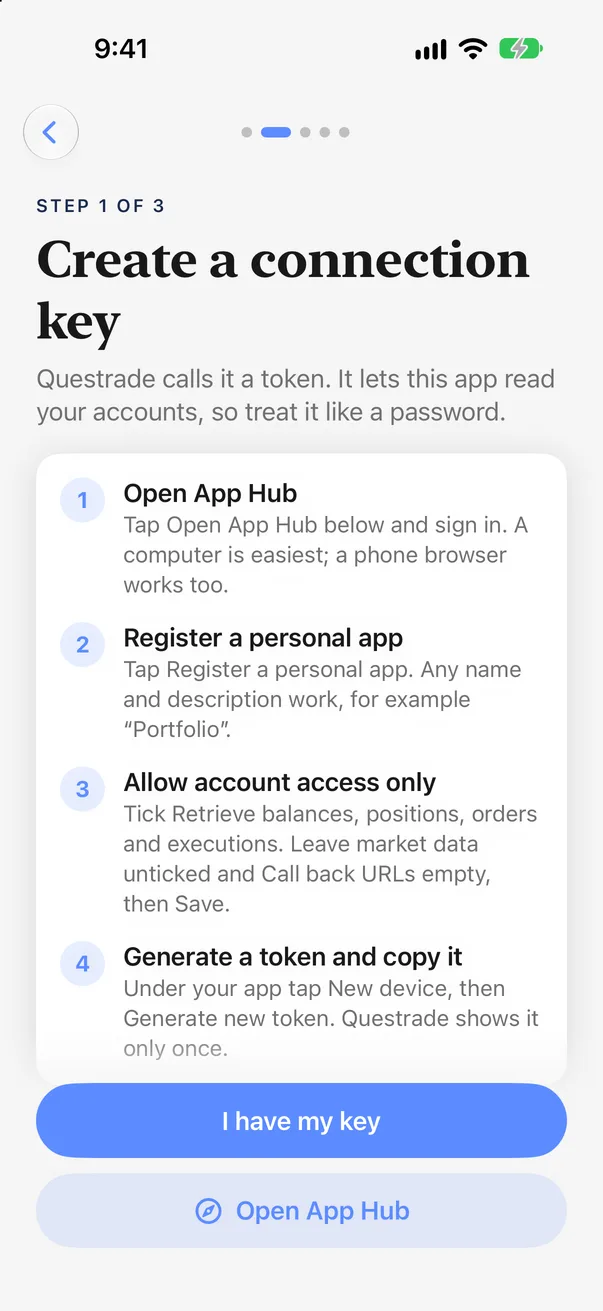
TrackQ never sees your Questrade password. You make a key for it in Questrade's App Hub, paste it, and the app does the rest.

  1. Open App Hub

    Sign in to Questrade's App Hub and register a personal app. Any name works, for example “Portfolio”.

  2. Allow account access only

    Tick Retrieve balances, positions, orders and executions. Leave market data unticked, then Save.

  3. Generate a token

    Under your app choose New device, then Generate new token. Questrade shows it only once.

  4. Paste it in TrackQ

    Copy on a Mac and paste on your phone with Universal Clipboard, or send it with AirDrop or Notes.

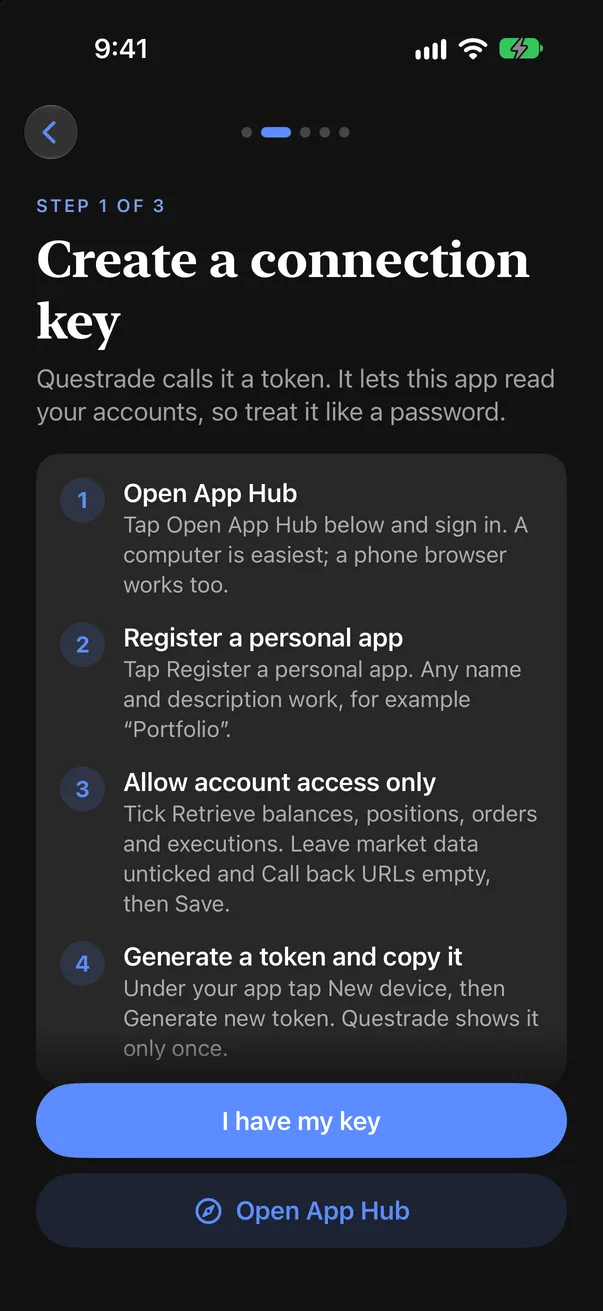
Create a connection key: the four steps in Questrade's App Hub, as the app shows them Create a connection key: the four steps in Questrade's App Hub, as the app shows them
The steps, in the app
Renews itself
Every refresh swaps the key for a new one, and the app saves it right away.
Use it weekly
A key that goes unused for about a week expires. A widget on your Home Screen keeps it fresh.
One key per device
Two apps or devices sharing a key lock each other out. Make a separate key for each.
Try the sample first
Explore a made-up portfolio before you connect anything. It never touches the network.
TrackQSection VII · iPad

iPad

More room for the numbers.

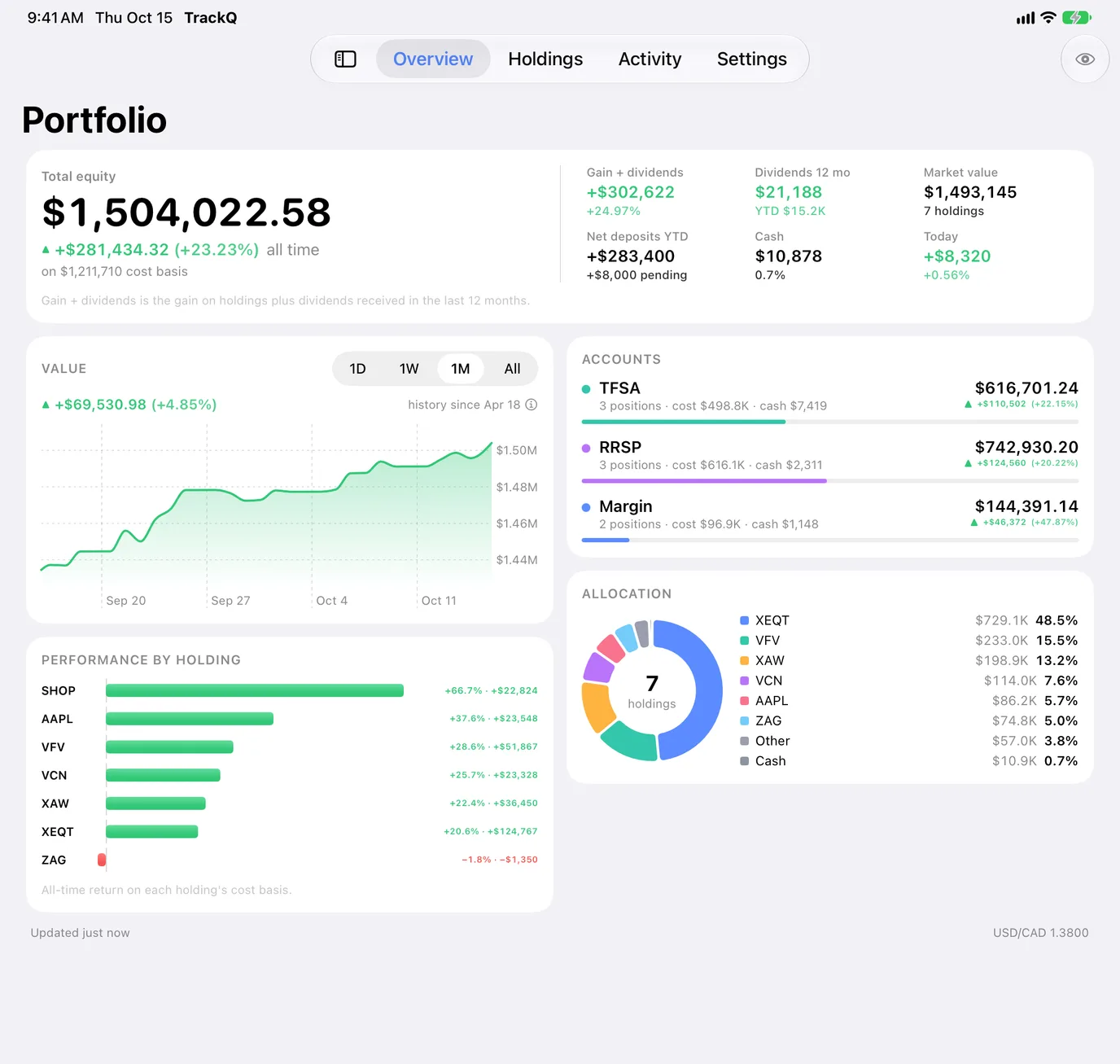
On iPad, Overview, Holdings and Activity spread into two columns: the chart beside your accounts, allocation beside performance. Any orientation, and side by side with other apps.

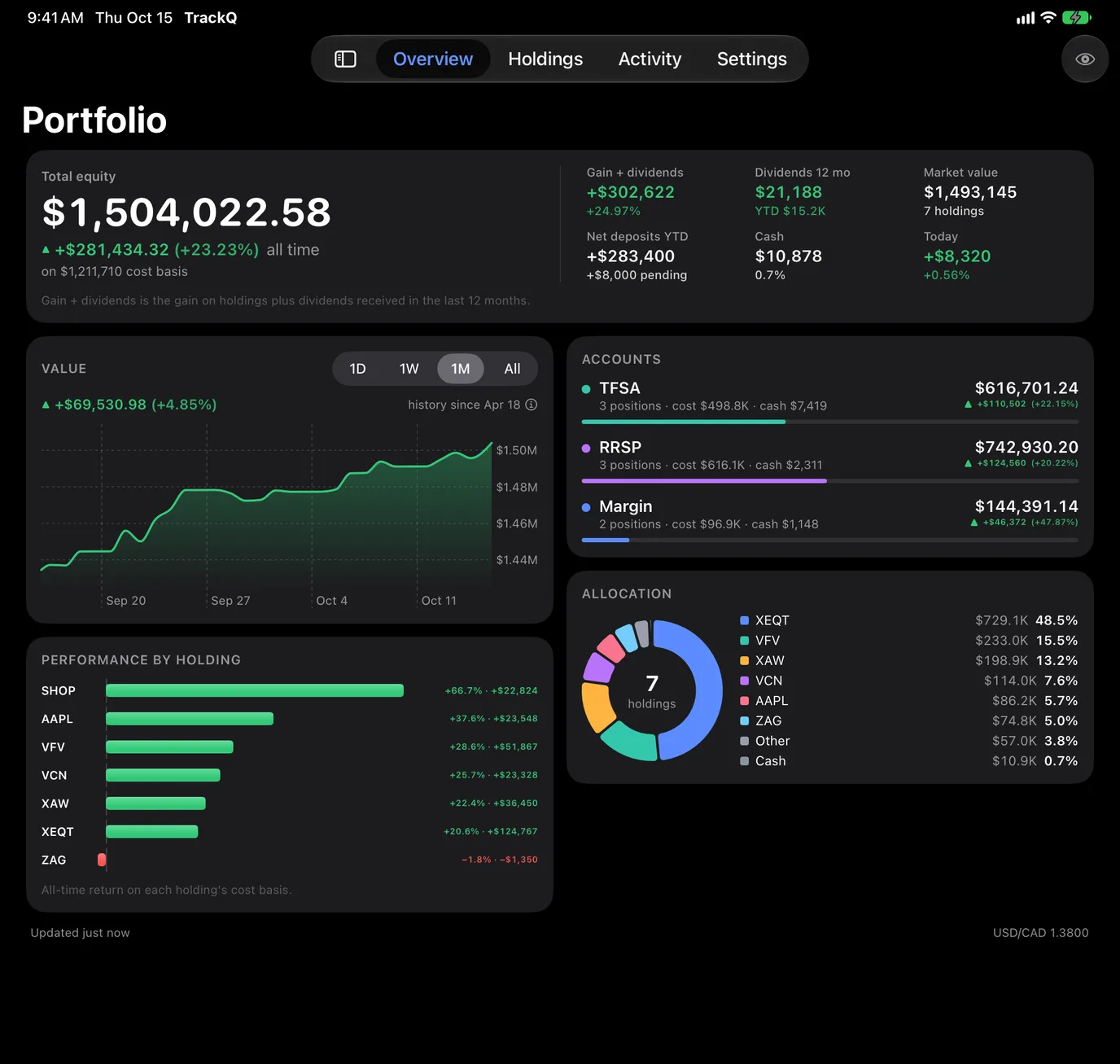
TrackQ Overview on iPad, in two columns: totals, value chart and performance beside accounts and allocation TrackQ Overview on iPad, in two columns: totals, value chart and performance beside accounts and allocation
TrackQSection VIII · How the numbers work

How the numbers work

Counted the way you'd count them.

Gain
Market value against what you paid, per holding and in total. Dividends from the last 12 months are added for gain plus dividends.
Today
The sum of Questrade's own day change on each position, so a deposit or transferred-in shares never show up as a gain.
Currency
Totals in Canadian dollars, converted at the USD/CAD rate Questrade reports with your balances.
Value history
Questrade doesn't share past values, so TrackQ saves one each time it refreshes. Your chart starts on the day you connect and fills in from there.
Accounts you choose
Leave an account out of every total, or give it a nickname (TrackQ Pro).
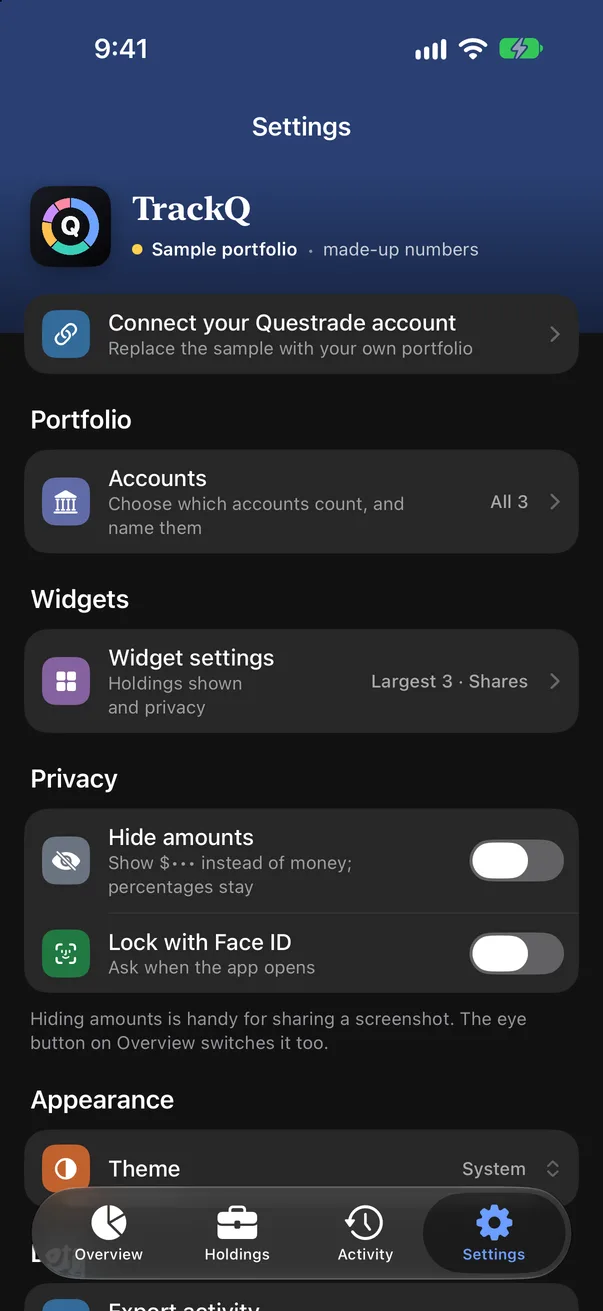
Light or dark
Follow the system, or pick one.
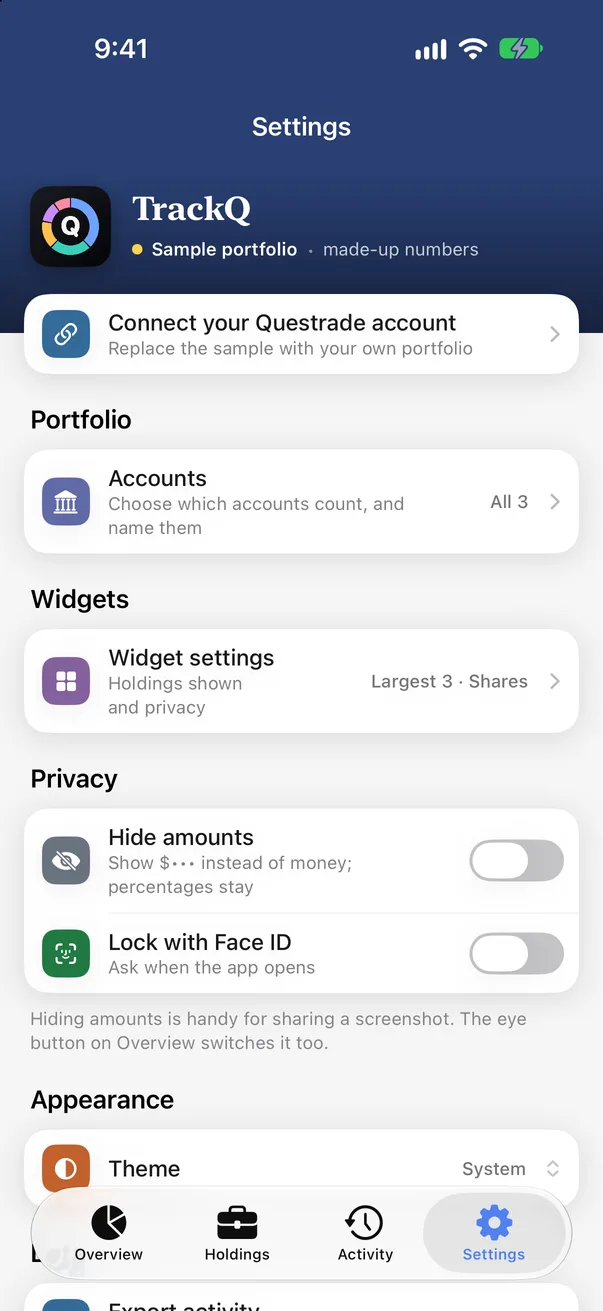
TrackQ Settings: accounts, widgets, hide amounts and the Face ID lock TrackQ Settings: accounts, widgets, hide amounts and the Face ID lock
Settings
TrackQSection IX · Questions

Questions

Can TrackQ trade or move my money?

No. It only reads balances, holdings and activity. It cannot place trades, move money or change anything in your Questrade accounts.

Where does my data go?

From Questrade to your device, and nowhere else. There is no TrackQ server, no account and no analytics. Like all app data, it is part of your device's encrypted backup.

Does it need my Questrade password?

No. You create a key (Questrade calls it a token) in Questrade's App Hub and paste it into the app. You can revoke it there any time.

Why did my key stop working?

A key that goes unused for about a week expires, and a key shared with another app or device is locked out when the other one renews it. Your saved portfolio stays; generate a new key and connect it in Settings.

Is TrackQ free?

Yes, with an optional one-time TrackQ Pro purchase (CA$19.99, no subscription). Free keeps Overview, Holdings, the Total value and Allocation widgets and every privacy setting. Pro adds the Activity tab, holding details, hiding and renaming accounts, CSV export and every widget.

Does it show live quotes?

No. TrackQ shows the prices that come with your Questrade positions each time it refreshes, not a market data feed.

Which accounts and devices does it support?

Any Questrade account your key can read: TFSA, RRSP, FHSA, margin, cash and the rest. iPhone and iPad on iOS 17 or later.

Can I try it without connecting?

Yes. The welcome screen offers a sample portfolio with made-up numbers. It has no key, so it never touches the network.

Is it made by Questrade?

No. TrackQ is an independent app that uses Questrade's API for personal apps.

Something else? Email support@trackq.ca or ask in the Discord.

TrackQ

The Questrade portfolio app for iPhone and iPad

Coming soon to the App Store